An AI try-on keeps your face, body, pose, background and light, and changes only the clothes. That means it can only be as good as the photo you start with. A clear photo gives the model an obvious body to dress; a dark, cropped or cluttered one leaves it guessing, and guesses show.
The quick checklist
Run through this before you upload. Nothing here is saved or sent anywhere; it is just a list you can tick.
Framing: show the part you want to dress
The model can't put trousers on legs it can't see. If you want to try dresses, trousers, skirts or long coats, get your whole body in, from a little above your head to a little below your feet. For shirts, knitwear and jackets, waist up is enough, though full length still helps you judge proportions.
Hold the camera at around chest or waist height, not above your head. Photos taken from high above shorten your legs; photos from the floor stretch them. Both distortions carry over into the try-on. If you use a timer, a shelf at waist height is ideal.
What to wear for the photo
Wear something close to the body and plain: a fitted t-shirt or tank, leggings, slim jeans or trousers. That gives the try-on a clear outline of your shoulders, waist and hips to drape the new garment over.
A big hoodie hides all of that, so the model has to invent your shape underneath. Patterned or logo tops can sometimes ghost through a light new garment. And if you are only trying a top, remember the bottoms you wear in the photo usually stay, so wearing the jeans you would actually pair it with is a nice trick.
Long hair worn down over the shoulders is fine, but it will cover part of a neckline or collar in the result. Tuck it back if necklines are what you want to judge.
Light: face the window
Soft daylight from in front of you or slightly to the side is the easiest good light there is. Stand facing a window, a step or two back from it. Avoid standing with a window behind you: the camera exposes for the bright background and you turn into a silhouette, and a try-on on a silhouette has very little to work with.
Very warm lamp light or cold fluorescent light also changes how colors look, both your skin and the garment. If you want to judge color, daylight is worth waiting for.
Pose: stand like you are in a fitting room mirror
Stand straight, face the camera, arms relaxed and a little away from your sides. Crossed arms, hands in pockets, a bag on your shoulder or a coffee in your hand all block the garment area. Sitting, crouching and dramatic angles can work in principle, but they make the job much harder and the results less predictable.
Mirror selfies work
You don't need a photographer. A full-length mirror selfie is what most people use, and it works well if a few things are in place.
- Hold the phone at chest height so it doesn't cover your face.
- Clean the mirror. Smudges and spots end up in the picture.
- Turn the flash off; it bounces back as a white blob.
- Step back far enough that your feet are in the frame.
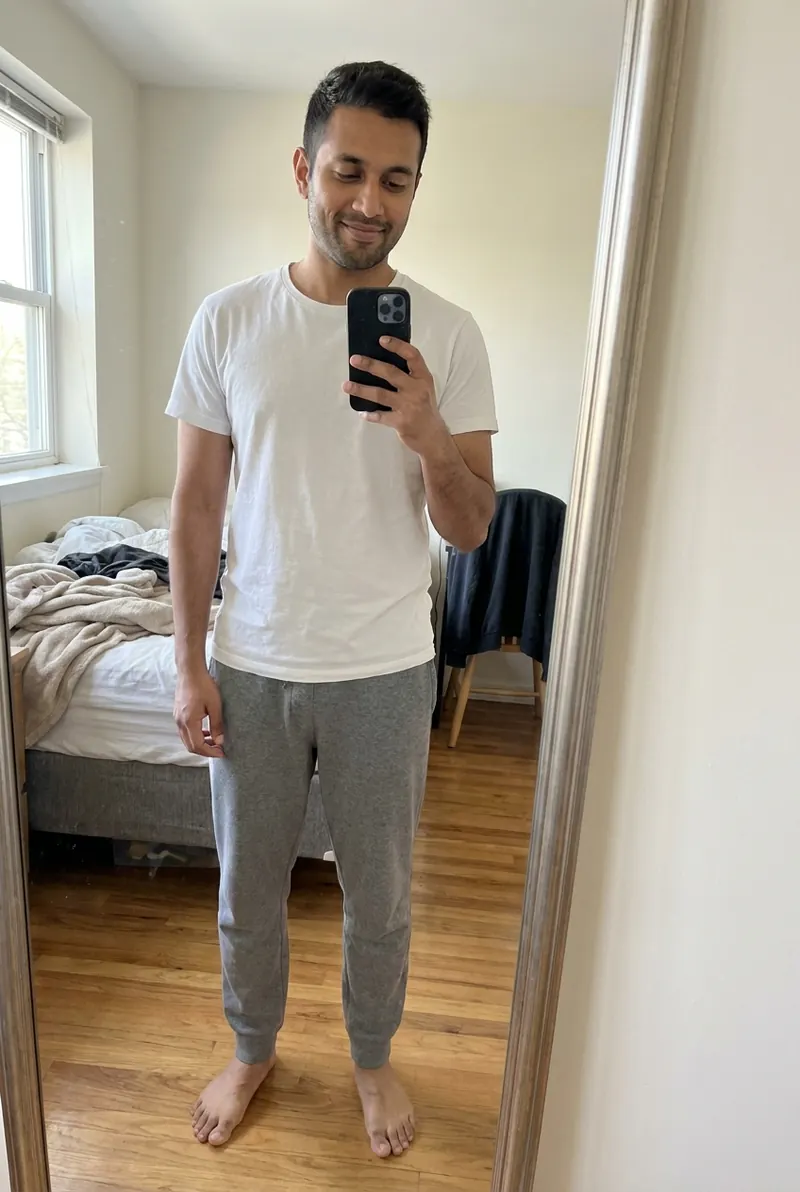 Original mirror selfie
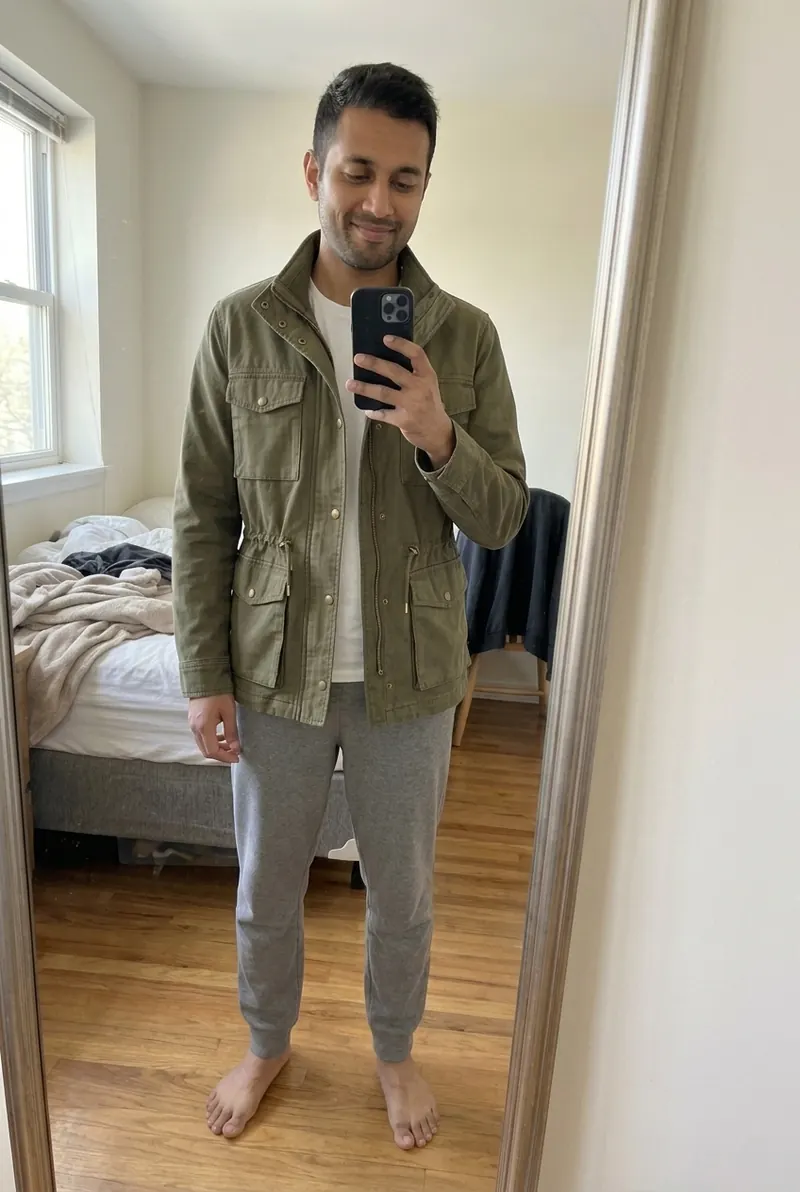 AI try-on example
Photos that tend to go wrong
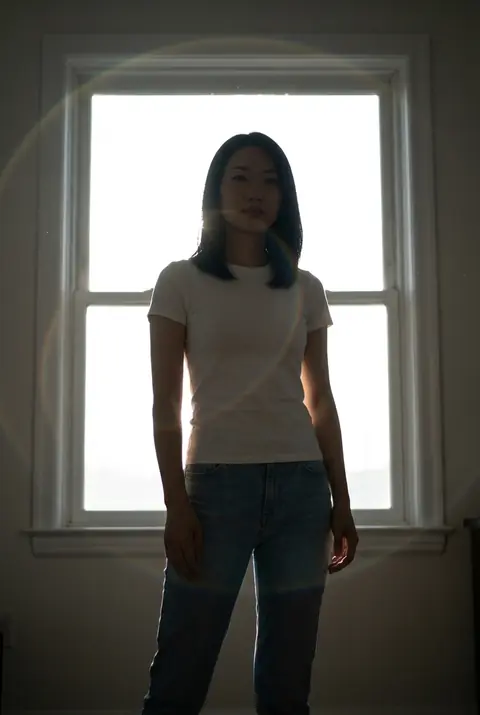 Backlit
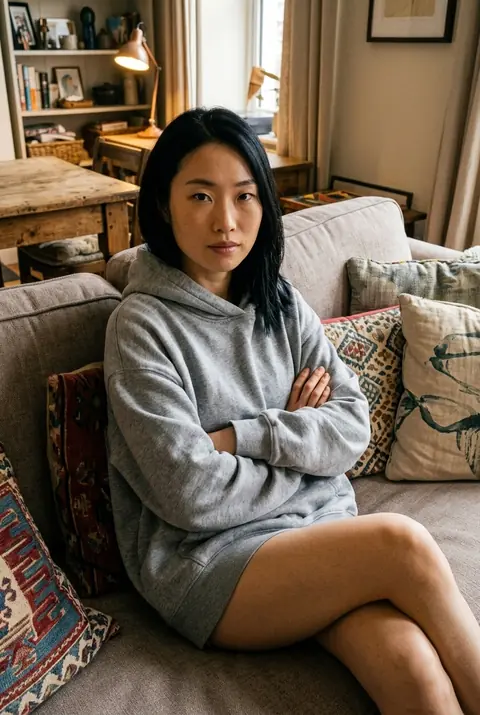 Sitting, crossed arms, baggy hoodie
- Backlit or very dark photos. Too little detail on your body, and colors come out muddy.
- Cropped photos. Anything outside the frame can't be dressed. Cutting off at the knees rules out dresses and trousers.
- Group photos. The model has to decide who to dress. Crop to just you, or better, take a new photo.
- Filters and beauty modes. Smoothed skin and shifted colors carry over, and they can make the result look artificial.
- Very close wide-angle shots. A phone held at arm's length for a full-body shot distorts proportions. Step back or use a timer.
- Heavy layers. A puffer jacket over a sweater makes it hard to put a slim shirt on you convincingly.
Background: plain helps, real rooms are fine
A plain wall makes the outline of your body clear and keeps the image calm, but you don't need a studio. Rooms 4 and 5 in the gallery were a bedroom and a store fitting cubicle. What matters more is that the background doesn't blend into your clothes (black top against a black sofa) and that there isn't another person in the frame.
One photo, many try-ons
Once you have a photo that works, keep using it. The same photo makes it easier to compare garments fairly, because the light, pose and framing stay identical and only the clothes change, as within each of the five rooms in the fitting room gallery. If you are thinking about where that photo is stored, the privacy checklist covers what to ask any app.